
Support
Troubleshooting Mesh Import from OBJ Files
Using Mesh Import from OBJ Files, one may find some limitations. As a general rule, always Save before doing bold things in Revit.
Most important is that the limit is around 150,000 faces for one import. The mesh should be continuous and ideally closed. That is called manifold.
Addressing possible problems
Mesh is too big. One may get this error, caused by Revit’s internal limitations on the shapes used:
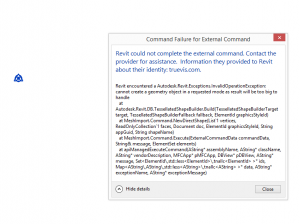
A fix is to reduce the mesh’s size. One app that is very good for mesh fixing is ReCap Photo (formerly Autodesk ReMake). ReMESH is an alternative.
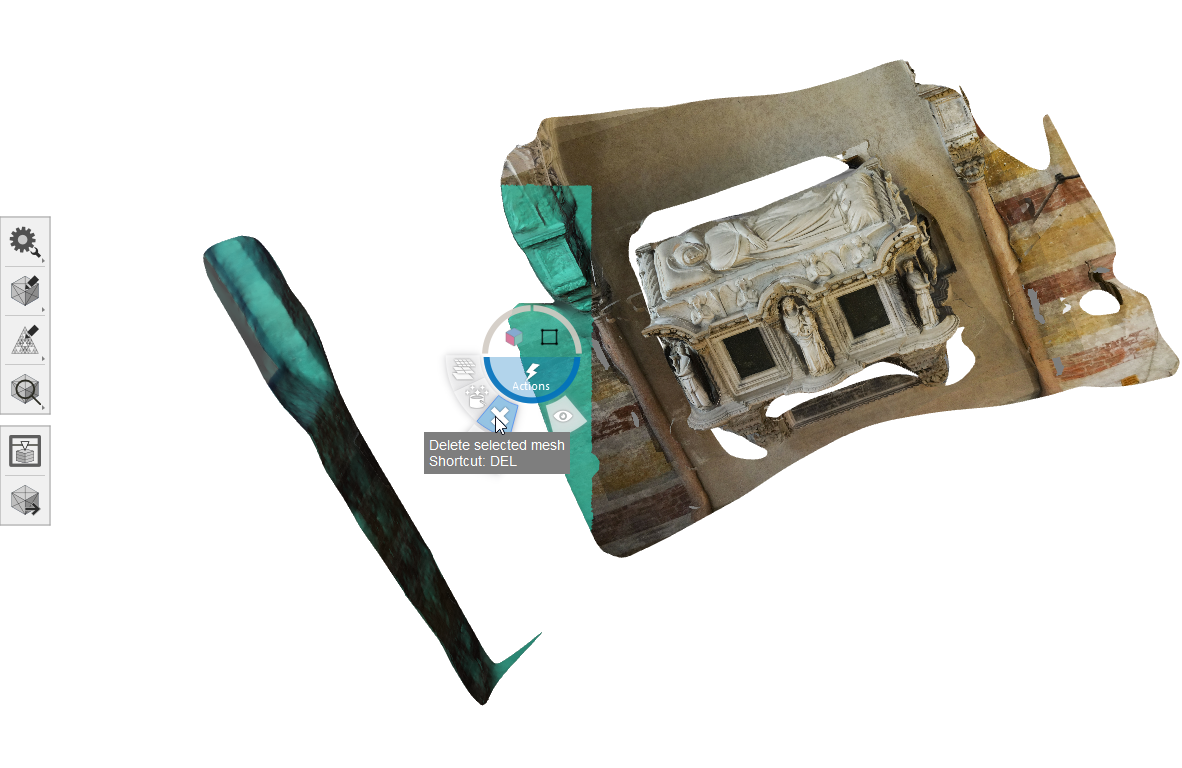
One can delete unwanted faces:
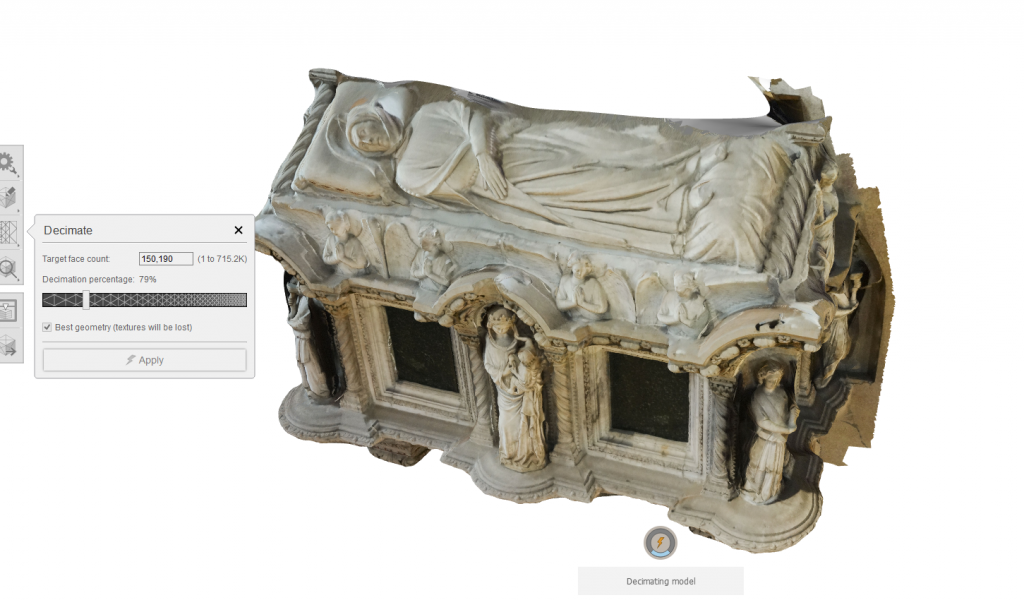
One can decimate the mesh to less than 150,000 faces. (This mesh looks really nice to start with because it has around 1,000,000 faces and has images mapped to it.) Don’t worry about the image maps (MTL file, etc.) as they won’t come into Revit anyway.
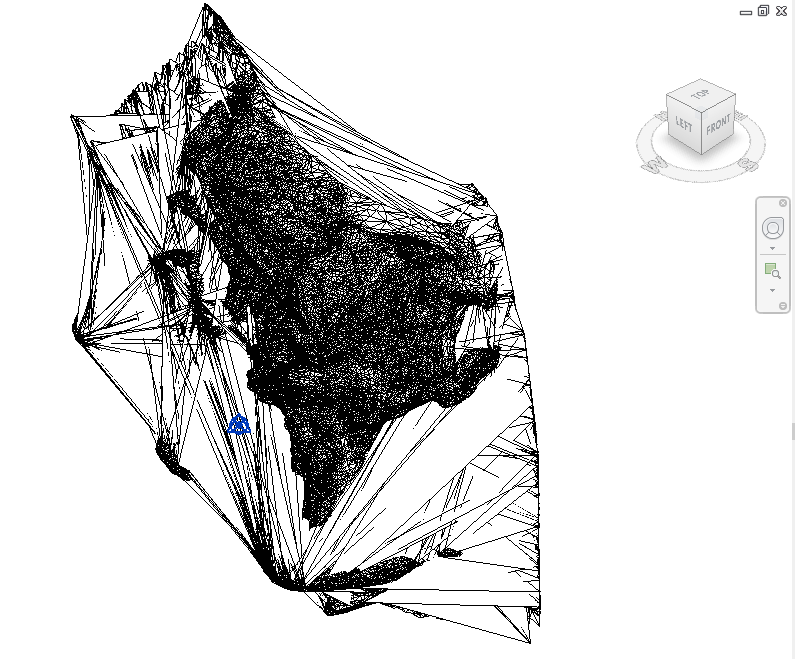
Another problem is that the mesh could come in as mush. This may be caused by being too big and/or not manifold. One can try “Detect and fix model issues” in ReCap Photo. This will fill holes, tunnels, and spikes.
If the mesh is 3D-printable and below the limits in number of faces, it should come into Revit well. See also Preparing Meshes for Import to Revit as DirectShape for more examples.
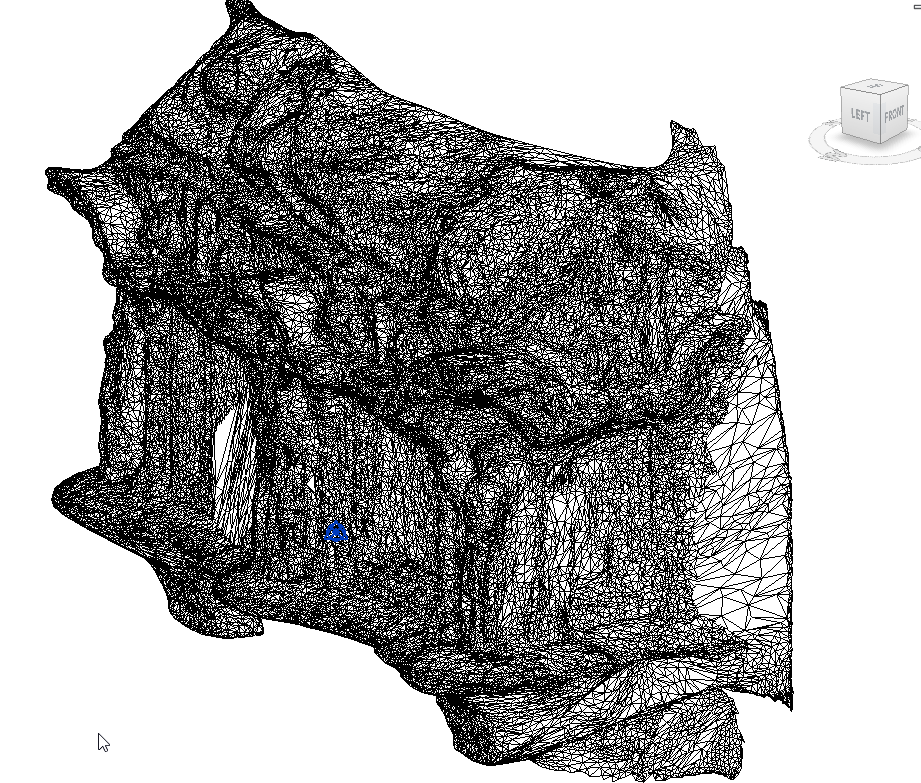
This is the imported mesh in Revit:
Choose a good category
The Category choices to make the import are:
- Casework
- Entourage
- Furniture
- Generic Models
- Lighting Fixtures
- Mass
- Mechanical Equipment
- Planting
- Roads
- Site
- Structural Framing
One reason to choose a particular category is to have one that is cuttable or not. A list of cuttable categories: Autodesk help. Another reason is to control the elements’ appearance via their categories.
Scaling
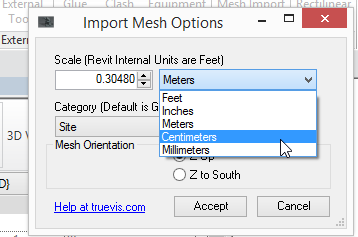
Revit internal units are feet. One can use the presets, or enter one’s own value.
Orientation
Try whichever setting works.
App is unsigned
This dialog may be shown the first time loading the app in Revit. Just click “Always Load”.

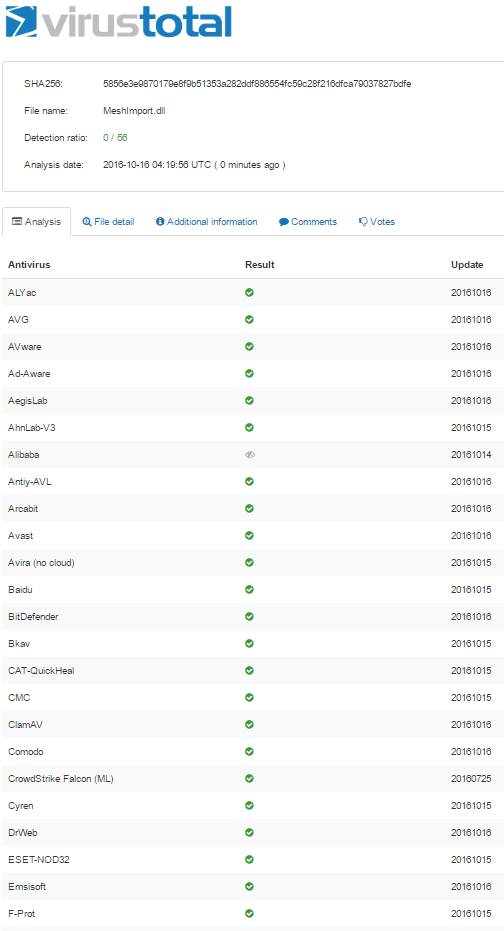
DLLs associated with Revit apps may be checked for viruses using a service like VirusTotal:
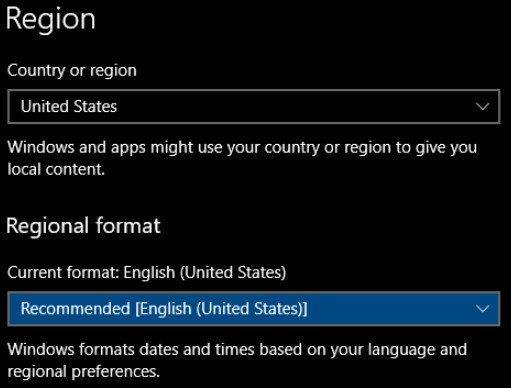
Region number format
Some regions use commas instead of dots for the decimal place. That may cause the import to fail. A workaround is to set Windows Region to United States before importing the OBJ.
Buy the app
“Mesh Import from OBJ Files” is available for $50 in the Autodesk Revit App Store.
Feedback
Messages can be sent to the author at Contact.